1. DbSchema (Community Edition)


Pricing

Interface: Setting DB, Create, Model Schema and Relation

2. MySQL Workbench (Community Edition)
MySQL Workbench Community Edition is the open-source version of MySQL Workbench, a unified visual tool for database architects, developers, and DBAs. It is licensed under the General Public License (GPL) and offers a comprehensive set of features for working with MySQL databases.
Welcome Screen to MySQL Worbench


Key functionalities of MySQL Workbench Community Edition include:
- SQL Development: Provides an integrated SQL editor for creating, executing, and managing SQL queries, as well as managing database connections.
- Data Modeling (Design): Enables graphical design of database schemas, forward and reverse engineering between schemas and live databases, and comprehensive editing of database objects like tables, columns, indexes, and views.
- Server Administration: Facilitates administration of MySQL server instances, including user management, backup and recovery operations, performance monitoring, and inspection of audit data.
- Data Migration: Supports migration of data and objects from various RDBMS platforms (e.g., Microsoft SQL Server, PostgreSQL, SQLite) to MySQL, as well as migrating between different versions of MySQL.
3. DBeaver (Community Edition)

DBeaver Community is a free, open-source database management tool for personal projects. Manage and explore SQL databases like MySQL, MariaDB, PostgreSQL, SQLite, Apache Family, and more.
DBeaver Community
- Open-source version
- Basic support for relational databases:
- MySQL, SQL Server, PostgreSQL and others
- State of the art Data Editor
- Powerful SQL Editor
- Database schema editor
- DDL view and edit
- Spatial data viewer
- Basic AI assistant for SQL generation
- Basic AI engines (OpenAI, GitHub Copilot)
- Basic ER Diagrams
- Basic charts
- Data export/import in multiple formats
- Task management
- Database maintenance tools
- SSH and proxy
- Basic and SSL authentication
DBeaver PRO
- All DBeaver Community features
- AI chat, smart object describe, smart SQL errors fix, smart data transfer
- Additional AI features for faster SQL querying and data management (Azure OpenAI, Google Gemini, Ollama support)
- Advanced security
- Advanced support for relational databases
- Work with structured files (CSV, XML, XLSX, Json, Parquet) as with databases
- Connection through ODBC drivers
- NoSQL databases support:
- MongoDB, Cassandra, Redis, CouchDB and others
- Cloud databases support:
- Redshift, Google BigQuery, Oracle Cloud and others
- Native support for AWS, Google Cloud, and Azure
- Cloud storage support
- Metadata management tools
- Database performance visual tools
- Multi-component task management
- Task Scheduler
- Visual Query Builder
- Database dashboards
- Advanced authentication (IAM, OAuth, Kerberos)
- Ongoing technical support
- And many more
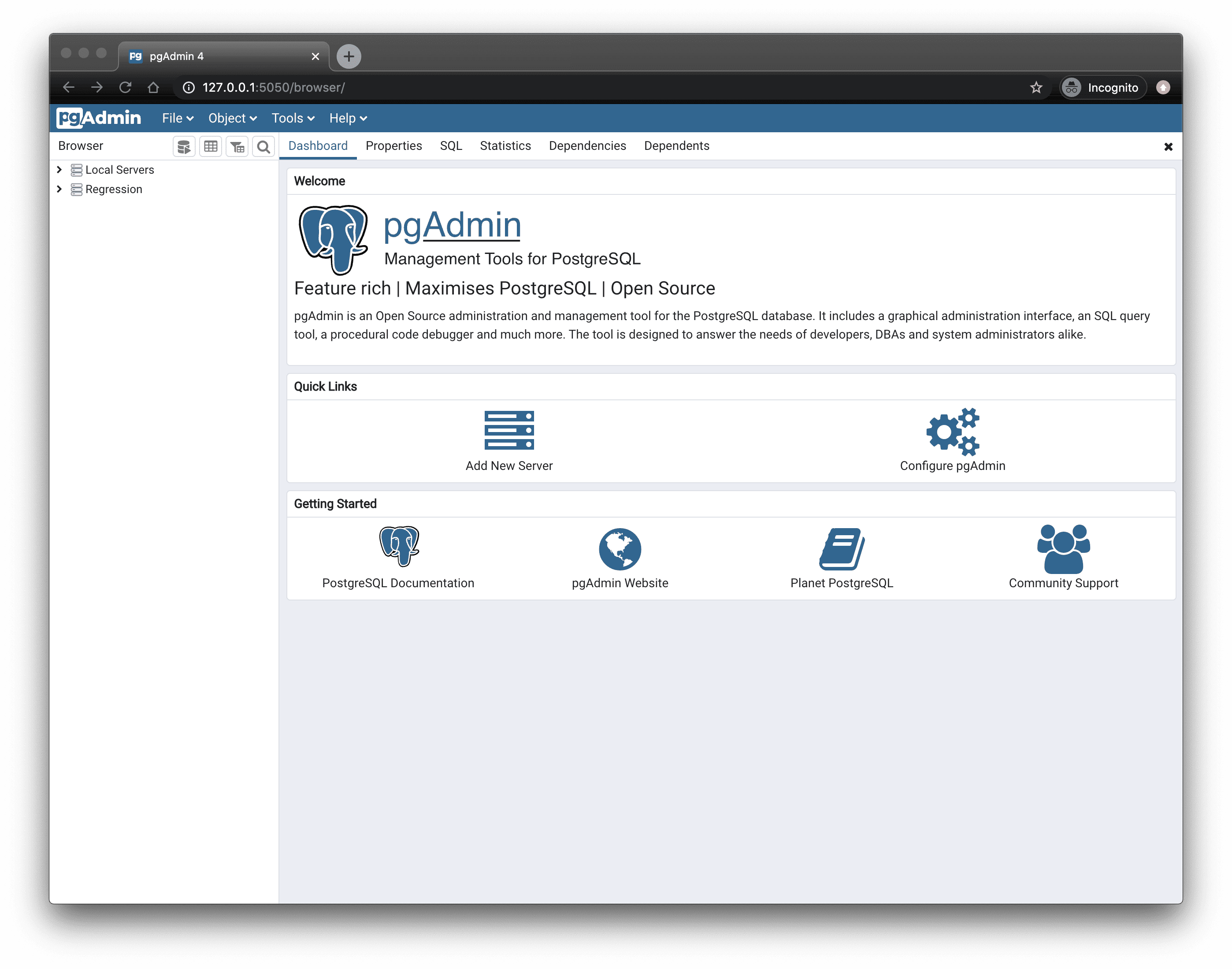
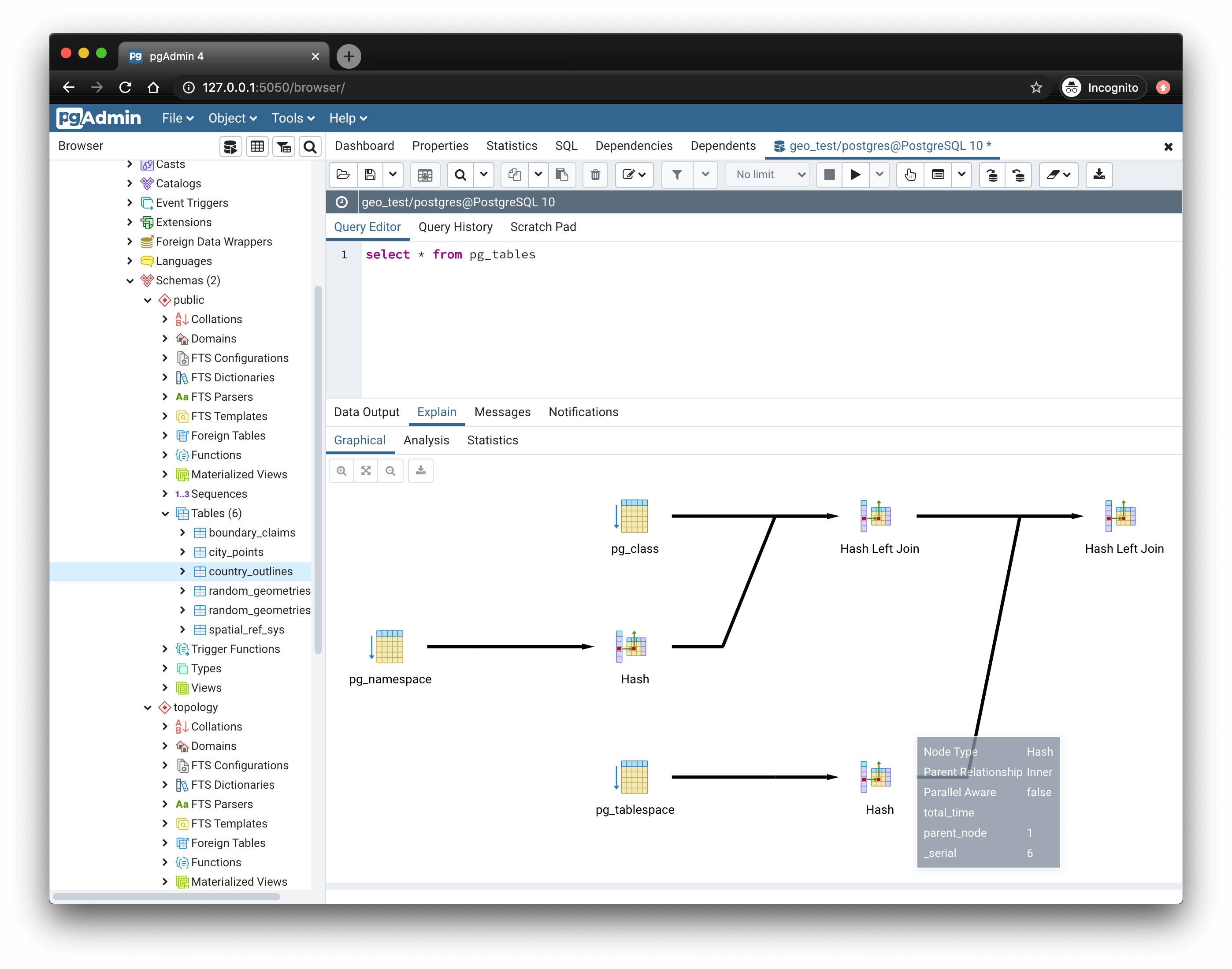
pgAdmin is a complete rewrite of pgAdmin, built using Python, ReactJs, and Javascript. A desktop runtime written in Electron allows it to run standalone for individual users, or the web application code may be deployed directly on a web server for use by one or more users through their web browser. The software has the look and feel of a desktop application whatever the runtime environment is, and vastly improves on pgAdmin III with updated user interface elements, multi-user/web deployment options, dashboards, and a more modern design.

5. DbVisualizer (Free Edition)

DbVisualizer is the only database tool you’ll need. Everything you need to gather data from all your data sources is bundled right in - including support for database-specific object types and more.6. HeidiSQL
Db Visualizer support Database:

DbVisualizer has everything you need to build, manage and maintain state-of-the-art database technologies. Each feature has been thoughtfully crafted to solve real world problems.
7. Oracle SQL Developer (Free)
Oracle SQL Developer is a free graphical tool that enhances productivity and simplifies database development tasks. With SQL Developer, you can browse database objects, run SQL statements and SQL scripts, edit and debug PL/SQL statements, manipulate and export data, and view and create reports. You can connect to Oracle databases, and you can connect to selected third-party (non-Oracle) databases, view metadata and data, and migrate these databases to Oracle. it's also integrates interfaces into several related technologies, including Oracle Data Miner, Oracle OLAP, Oracle TimesTen In-Memory Database, and SQL Developer Data Modeler (read-only).
url: https://docs.oracle.com/en/database/oracle/sql-developer/
SQL Power Architect data modeling and profiling tool was created by data warehouse designers and has many unique features geared specifically for the data warehouse architect. It allows you to reverse-engineer existing databases, perform data profiling on source databases, and auto-generate ETL metadata.
The SQL Power Architect data modeling tool was created by data warehouse designers and has many unique features geared specifically for the data warehouse architect. It allows users to reverse-engineer existing databases, perform data profiling on source databases, and auto-generate ETL metadata.

9. SQL Server Tools
SQL Server Tools is manage database tools run in the cloud database on Windows macOS, or on Linux OS plateform, your tool doesn't need to run on the same platform as the database.
10. DataGrip

Datagrip JetBrains is powerful of cross-platform IDE for relational Database and NoSQL. Datagrip Supported databases. No more juggling between different tools and interfaces! Whether using DataGrip as a standalone tool or seamlessly integrated into your preferred JetBrains IDE, you can effortlessly connect to various data sources.

สนับสนุนเรา กด ลิงค์ https://buy.stripe.com/aFadRabYXctc3rg7uddIA00
ความคิดเห็น
แสดงความคิดเห็น